What the connection does
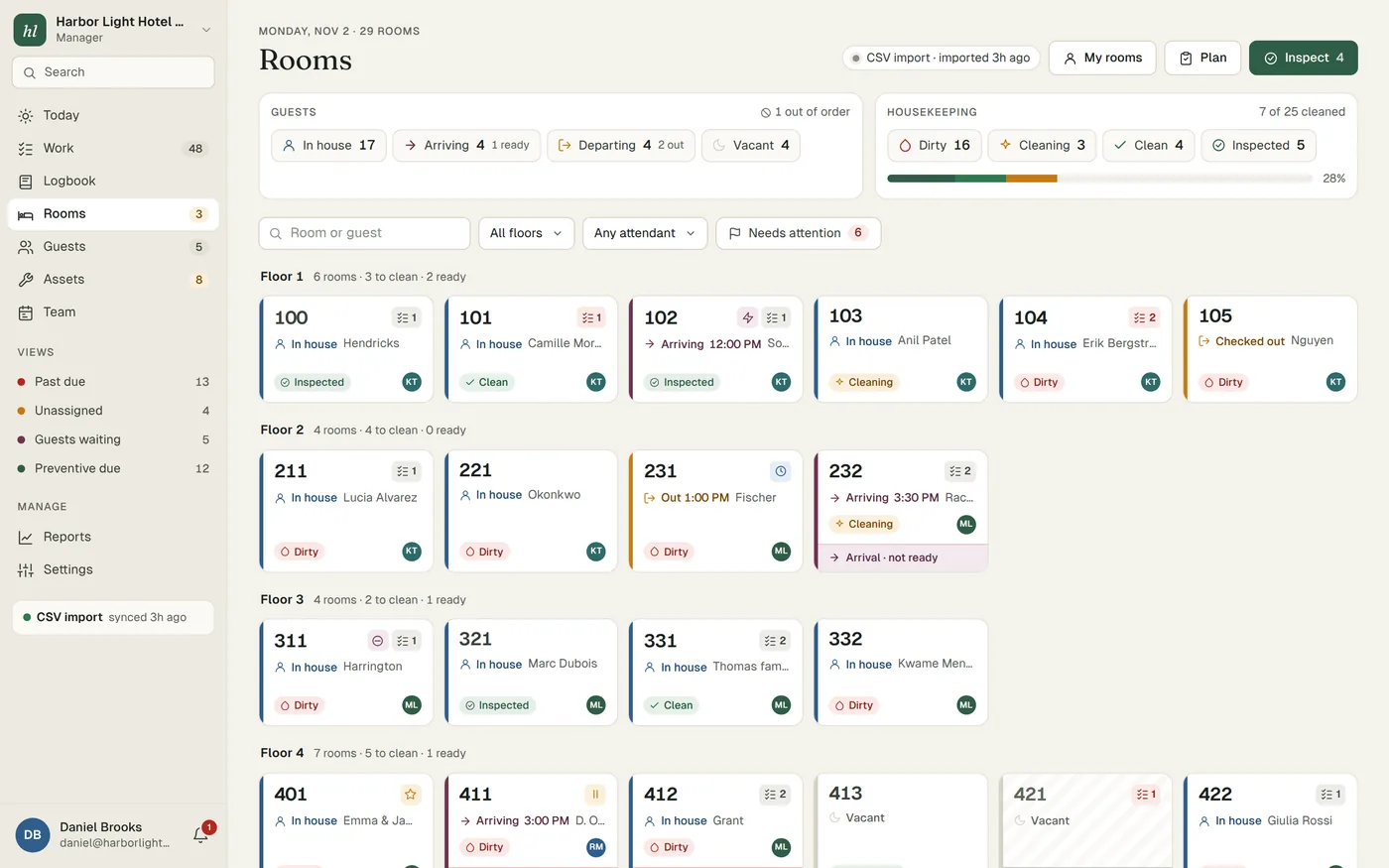
Cloudbeds holds your reservations. Turndown reads your rooms and reservations from it, so arrivals, departures, stayovers and guest names appear on the housekeeping board without anyone retyping the day's list. The manager's Today screen uses the same data to flag rooms that will not be ready for an arriving guest, and arrivals booked into a room that is blocked by a repair.
Going the other way, when a room is marked clean or dirty in Turndown, that status is sent back to Cloudbeds. The front desk can keep working in Cloudbeds and still see what housekeeping has done.
What syncs in each direction
| Direction | What moves |
|---|---|
| Cloudbeds to Turndown | Rooms. Reservations: arrivals, departures, stayovers and guest names. |
| Turndown to Cloudbeds | Housekeeping status: clean and dirty. A room marked inspected in Turndown is sent as clean. |
| Stays in Turndown | Other room statuses (cleaning, out of order, out of service), work orders, guest requests, logbook notes and asset records. |
The room board shows when the last sync ran, so everyone can see whether the list is current.
Maintenance that knows who is in the room
A dripping tap in a vacant room can wait until tomorrow. The same tap in a room with a guest arriving at 3 PM cannot. Because Turndown has your arrivals from Cloudbeds, the Today screen flags arrivals booked into a room that is blocked by an open repair, while there is still time to fix the room or move the guest.
A room with an open repair is held out of order in Turndown and released when the job closes, so nobody hands its key to an arriving guest by mistake. Guest requests from the QR code in each room land in the same queue as the repairs. More about work orders.
What you need to provide
- A Cloudbeds API keyYou create it in your Cloudbeds account. We tell you what is needed, and you create it and pass it to us during onboarding.
- The housekeeping feature in your Cloudbeds packageCloudbeds' own developer documentation says most packages include housekeeping, but some lower packages do not. If you are not sure about yours, we check it with you during setup.
- Your equipment list and open issuesThese do not come from Cloudbeds. Send us whatever you have, a spreadsheet is fine, and we import it with the rest of your setup.
Setup is done by us
You do not configure the connection yourself. During onboarding we connect your API key, run the first sync and go through the room board with you to check it matches what you see in Cloudbeds. Then your team starts using it. There is no separate fee for the connection: it is part of the plan at $299 per property per month. See what's included.
Turndown is independent software. It connects through the Cloudbeds API using the key you create.
Tips for running housekeeping with Cloudbeds
- Agree where the front desk looks for inspected rooms. Because Cloudbeds receives clean for both clean and inspected rooms, a room can show as clean in Cloudbeds before a supervisor has checked it. If you inspect, ask the front desk to check the Turndown board before assigning a room to an important arrival, or agree that supervisors inspect arrivals first.
- Block repair rooms in Cloudbeds too. Out-of-order holds stay in Turndown. If a leak in 214 will take the room out for two days, block it in Cloudbeds so it is not sold online in the meantime.
- Glance at the sync time each morning. The housekeeping plan is only as good as the arrivals list behind it. If the last sync looks old, check before the attendants start.
- Keep room names the same in both places. If the PMS says "Garden Suite 2" and the staff say "GS2", pick one and use it on the QR cards, the asset tags and the work orders.