For any PMS that can export a report
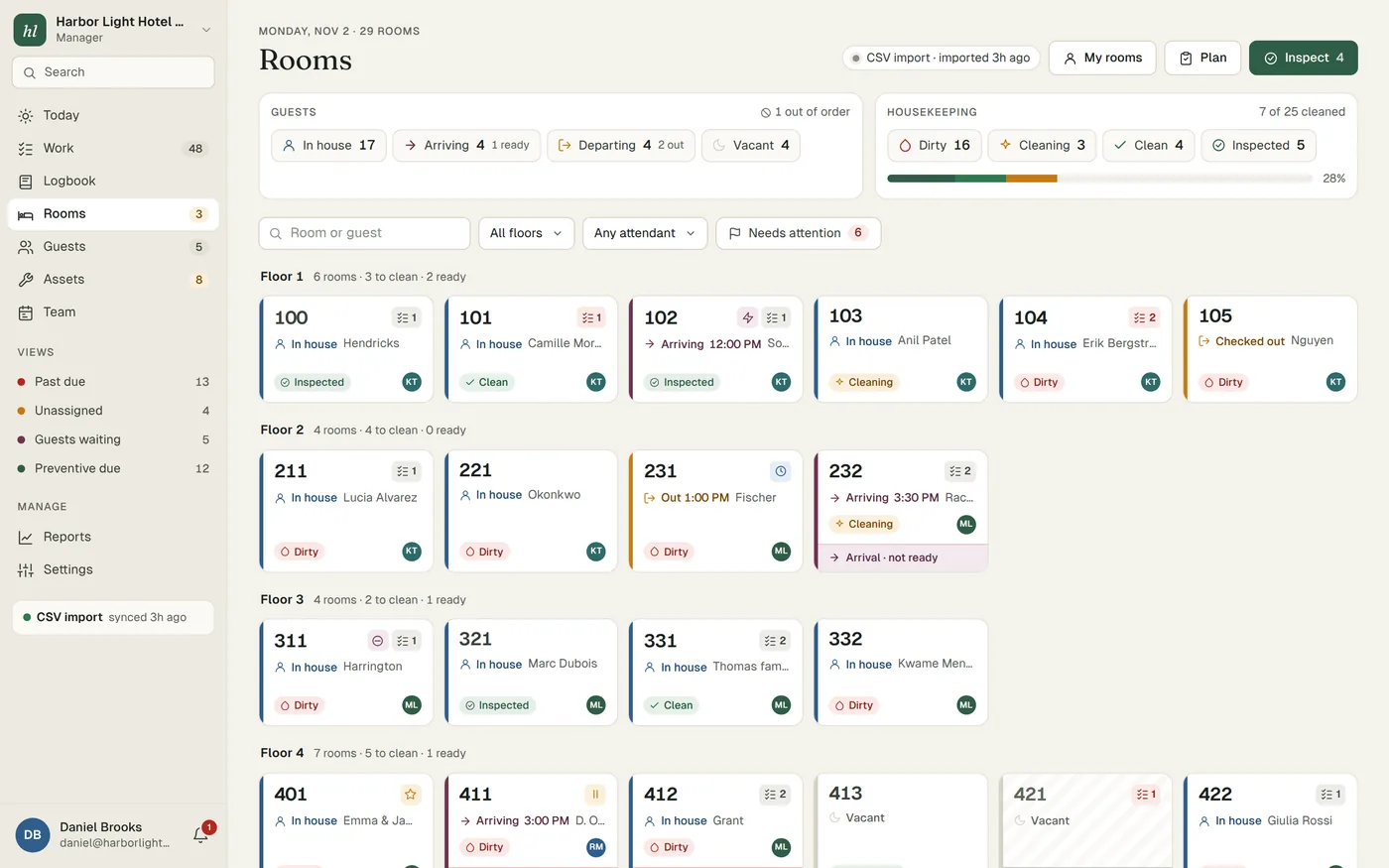
Not every PMS has an API, and not every hotel wants to set one up. Many smaller and older systems, and some villa and vacation rental tools, can still export a list of arrivals and departures. That is enough for Turndown. You export the report, paste or upload it, and the housekeeping board knows who is arriving, who is leaving and which rooms are stayovers.
The manager's Today screen then works as it does with a live connection: it flags rooms that will not be ready for an arriving guest, and arrivals booked into a room blocked by an open repair.
What syncs, and what doesn't
| Direction | What moves |
|---|---|
| Your export to Turndown | Arrivals and departures from the file you paste or upload. |
| Turndown to your PMS | Nothing. A CSV import is one way. |
Because nothing is written back, room status changes in Turndown stay in Turndown. That is fine for most small hotels, as long as everyone agrees where to look. The room board shows when the last import ran, so nobody mistakes yesterday's list for today's.
What the file needs
Turndown finds the columns by their header names, so they can be in any order and you rarely have to edit the export. It also detects the date format. In practice you need:
- A room columnThe room number or name, matching how rooms are named in Turndown. A header such as "Room" or "Room number" is fine.
- An arrival date and a departure dateHeaders like "Arrival" and "Departure", or "Check-in" and "Check-out".
- A guest name, if your report has oneIt helps the attendant and the front desk, and it is used when it is there.
If something the import needs is missing, it tells you which column it could not find, so you can fix the export rather than guess.
Setup is done by us
During onboarding we look at an export from your PMS with you and check that Turndown reads the rooms and dates correctly. We import your rooms, your equipment list and your open issues at the same time. After that, the daily import is a paste or an upload that takes a minute. CSV import is part of the plan at $299 per property per month, the same as a live connection. See what's included.
Tips for running housekeeping from a CSV
- Make it part of the morning routine. Have the night auditor or the first front desk agent export and import arrivals before the housekeeping supervisor makes the plan. Write it on the opening checklist so it does not depend on one person remembering.
- Re-import when the day changes. A walk-in, a cancellation or an early departure after the morning import will not appear until the next one. In busy periods, a second import after lunch keeps the board honest.
- Use full dates with the year. If your PMS lets you choose, pick a format like 2026-11-03. It avoids any doubt about whether 03/11 means March or November.
- Keep room names identical. If the export says "101" and Turndown says "Room 101", decide on one. The same name should be on the QR cards, the asset tags and the work orders.
- Agree where clean rooms are checked. Since nothing is written back, decide whether the front desk checks room readiness on the Turndown board, or updates the PMS by hand at set times. Do not leave it to each person.
- Save a report layout in your PMS. Most systems let you save a report with chosen columns. Set up one for arrivals and departures and use it every day, so the columns never change.
If you later move to Cloudbeds, Mews or Apaleo, we can set up the live connection for you. See all integrations.